How to Successfully Add Your Instagram Account
Instagram has become one of the most popular social media platforms in the world, providing users with an opportunity to connect, share, and grow their brands online. Whether you are an individual looking to showcase your personal life, a business seeking to promote your products, or an influencer aiming to reach a wider audience, adding your Instagram account to various platforms can help you achieve your goals efficiently. In this article, we will guide you through the steps necessary to add your Instagram account, the benefits of doing so, and best practices for maximizing your social media presence.
Why Add Your Instagram Account?
Adding your Instagram account to other platforms can provide several advantages:
- Increased Visibility: By connecting your Instagram with your website, business pages, or ads, you can drive more traffic to your profile.
- Brand Cohesion: Consistently displaying your Instagram handle across various platforms reinforces your brand identity.
- Analytics and Insights: Many social media management tools offer analytics for connected accounts, helping you understand your audience better.
- Efficient Marketing: Syncing ads with your Instagram can enhance your marketing strategies and help you reach your target audience effectively.
Steps to Add Your Instagram Account on Various Platforms
1. Adding Instagram to Facebook
To begin, you can link your Instagram account to your Facebook page:
- Open your Facebook app and navigate to your page.
- Click on Settings in the left-hand menu.
- Select Instagram from the options available.
- Click on the Connect Account button.
- Log in to your Instagram account and follow the prompts to finalize the connection.
2. Connecting Instagram to Your Website
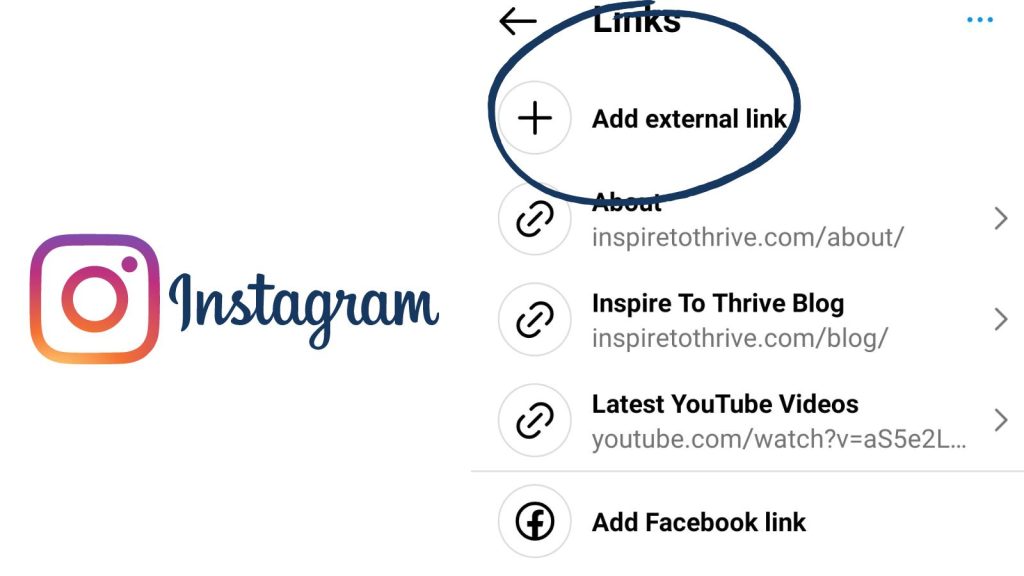
Integrating your Instagram directly into your website can be accomplished using plugins or directly embedding posts:
- Using Widgets: Platforms like WordPress offer various plugins that can help you display your Instagram feed on your site.
- Embedding Posts: Go to the Instagram post you want to embed, click on the three dots, and select Embed to get a code snippet to insert into your website’s HTML.
3. Adding Instagram to Email Marketing Campaigns
To enhance engagement in your email campaigns, you can add your Instagram link:
- During the design phase of your email, create a button or image that links to your Instagram account.
- Use a clear call-to-action, like Follow Us on Instagram.
- Ensure all visuals are optimized, and test the links before sending the

campaign.
4. Integrating Instagram into Ads Manager
If you are using Facebook Ads Manager to run campaigns, you can easily add your Instagram account:
- Log in to Facebook Ads Manager.
- Click on Business Settings and navigate to Instagram Accounts.
- Select Add, then input your Instagram account details.
- Follow the prompts to verify and complete the linking process.
5. Syncing with Other Social Media Platforms
If you’re using other social platforms, syncing your Instagram can often be done via the setting menu in those respective apps. Always look for options like Link Accounts or Connected Accounts to streamline the process.
Best Practices for Using Instagram Effectively
Once you’ve successfully added your Instagram account to various platforms, it’s important to use it effectively:
- Regularly Post Engaging Content: Maintain a consistent posting schedule with high-quality content that resonates with your audience.
- Engage with Your Followers: Respond to comments, engage in direct messages, and build relationships with your audience.
- Utilize Instagram Stories and Reels: These features can amplify your reach and keep your content fresh and exciting.
- Monitor Analytics: Regularly check your insights to understand what type of content performs best.
Conclusion
Adding your Instagram account to various platforms is a strategic move that enhances your online presence and connects you with a wider audience. By following the steps outlined in this article, you can leverage the full potential of Instagram as a powerful marketing tool. Remember to continuously engage with your followers and analyze your performance to optimize your social media strategy.
For more detailed guidance, you can refer to our source: How to Add an Instagram Account to Ads Manager https://crazyfb.shop/en/page/kak-dobavit-instagram-akkaunt-v-ads-manager